Spectral Prefab Volume
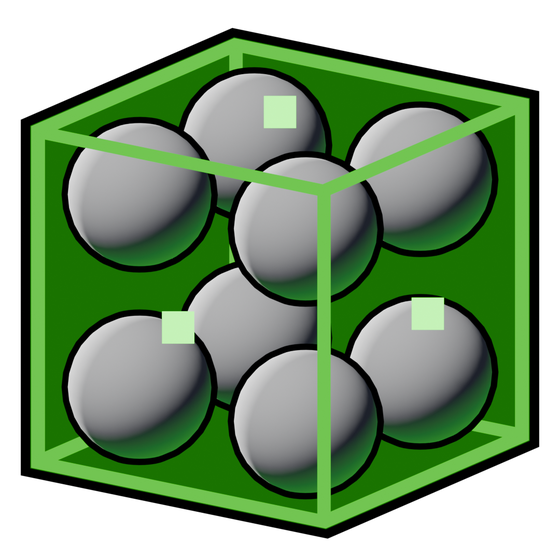 Spectral Prefab Volume
Add Spectral Prefab Volume inside a Blueprint that also has a Spectral Lightmapped Prefab component. It defines a probe field that is baked with a static placed source and stored in the Blueprint capture.
This component is an editor authoring region, not a standalone level-wide probe actor. The captured runtime field belongs to the shared prefab payload.
Place and capture
Set the component's local transform and bounds inside the Blueprint. The face handles work in the Blueprint editor and on a selected component in the level, with Ctrl for symmetric resizing.
For a complete setup, see Adding probe coverage to a prefab.
Bake the static source instance, then use Capture on its Lightmapped Prefab component. There is no separate Capture button or Scale To World action on this volume.
Voxel Size
Default: 100 cm. Accepted range: 5 to 10,000 cm; slider up to 2,000 cm.
Spacing between samples in this prefab field. Smaller spacing captures more local detail and increases sample count, bake time, and captured payload size.
A prefab with several dense fields can carry considerable data even though its copies share the capture. Rebake and recapture after changing the definition.
Fade Distance
Default: 50 cm. Minimum: 0.
Distance beyond the field bounds used to fade its contribution. A wider fade softens the boundary but extends the transition region. This is a lighting-field fade, not fog density.
Priority
Default: 0. Minimum: 0.
Manual precedence for overlapping probe fields. Higher priority wins; equal priorities favor denser fields. Use it to control intended overlap rather than treating it as a quality setting.
Enabled
Default: enabled.
Includes this field in the prefab's bake/capture setup. Disabled sibling fields are not captured as enabled new fields.
Changing the Blueprint authoring component does not silently recalculate an existing shared payload. Update the bake and capture when the stored field should change.
Movement
There is no separate Movable switch on this component. The owning actor's native root mobility and the Lightmapped Prefab capture determine instance behavior. Use normal actor mobility for moving prefab copies.
Visualization
Visualize Probes
Default property value: disabled.
Displays this authoring region's probe markers. Automatic visualization behavior may enable markers during authoring. This does not create or update the captured field.
Visualization Scale
Default: 1. Accepted range: 0.1 to 10; slider range: 0.5 to 5.
Adjusts marker size when visualization is enabled. It does not affect Voxel Size or the number of baked probes.
The project-wide Global Visualization Scale also scales the displayed markers. Hide Intersecting Probes in the Visualize tab can hide red intersection markers without changing the captured lighting. See Visualize.
Show Fill
Default property value: disabled.
Shows the editor box fill. Use it to see the region inside a complex Blueprint without mistaking it for rendered fog.
Fill Color
Default: translucent green, alpha 0.05.
Sets the editor fill's color and opacity. It does not tint the lighting stored in the capture.
Render Fill On Top
Default: enabled.
Shows the fill through geometry. Disable it if it hides surfaces you need to inspect. It has no effect on lighting occlusion.
Bake Status
| Status | Meaning |
|---|---|
| Captured in Blueprint | The shared Blueprint payload contains this field |
| Baked - ready to capture | Baked source data is ready for the Lightmapped Prefab capture action |
| Rebake needed | The current authoring data needs a fresh bake |
| Invalid - rebake needed | The available bake data is not valid for capture |
| Not baked | No suitable baked field is available |
The panel checks for an existing Blueprint capture before reporting source bake readiness. Therefore Captured in Blueprint is not proof that a recent edit has already been baked and recaptured.
The bake creates the source lighting. Capture stores reusable prefab data. Save the changed level/build data and Blueprint as appropriate; one stage does not replace the other.