Spectral Probe Volume
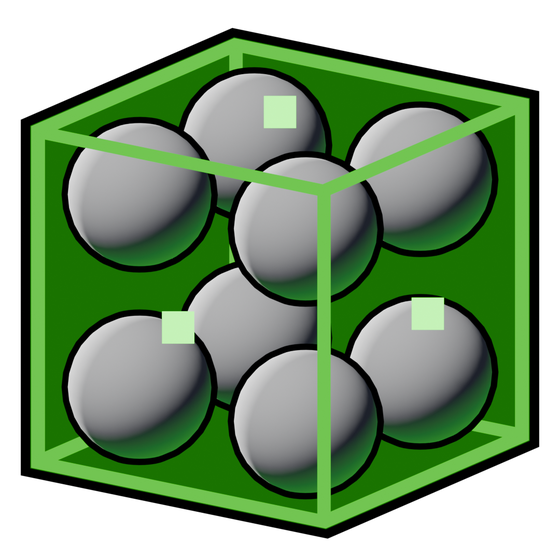 Spectral Probe Volume
A Spectral Probe Volume stores lighting samples throughout a box. Objects can sample that field without owning a surface lightmap. The same baked field can feed the fog and capsule-lighting integrations.
Add it from Place Actors > Spectral, fit the box to the area that needs coverage, and use Baker > Bake Lighting. Save the level and build data when the bake finishes.
 Baker
BakerBounds and placement
Use the face handles or normal transforms. Include the regions where objects will actually sample lighting, not only the surfaces you can see from one camera.
A large sparse field and a small dense field have different uses. Fit dense regions to places where lighting changes quickly rather than making the entire map equally dense.
Scale To World
Fits the selected probe volume to eligible scene geometry. It considers registered, visible, static, shadow-casting primitive components, excluding sky-material geometry and probe actors. Movable objects are not the bounds source.
The action resets rotation to zero and scale to one, centers the box on the collected bounds, and adds half a Voxel Size of padding. If it finds no eligible geometry, it leaves the volume unchanged and reports the condition.
This is a starting fit, not a lighting-quality analysis. Check the result manually and rebake after changing it.
Voxel Size
Default: 100 cm. Accepted range: 5 to 10,000 cm; slider up to 2,000 cm.
Spacing between probe samples. Smaller values capture finer spatial changes but create more samples, increasing bake time and payload size. Larger values are cheaper but can miss thin features or abrupt lighting transitions.
Because the field is three-dimensional, halving the spacing in all axes can produce roughly eight times as many samples for the same box. Actual counts also depend on the bounds and grid layout.
This is the density control. Visualization Scale only changes marker size. Bake again after changing Voxel Size.
Movable
Default: disabled.
Allows the baked field's transform to follow runtime movement after BeginPlay. Directional lighting data rotates with the field. A static field avoids that per-frame transform update.
The illumination moves with the stored field; it is not re-lit by its new surroundings. Use this for deliberately reusable moving lighting regions, not as a live GI capture.
Fade Distance
Default: 50 cm. Minimum: 0.
Distance beyond the box bounds over which the field fades toward the fallback lighting. A wider fade makes the boundary less abrupt but extends the transition region.
This is not the fog volume's inward density fade. Keep the distinction in mind when using both actors together.
 fog volume
Priority
Default: 0. Minimum: 0.
Manual precedence for overlaps. A higher priority takes precedence over a lower one. At equal priority, the denser field is favored.
Leave priorities equal when density should resolve the overlap naturally. Use an explicit override when one region must win regardless of density. Priority does not increase sample quality.
The Show Priority Next To All Volumes option in Visualize can display density tiers and manual overrides while arranging volumes.
Enabled
Default: enabled.
Includes the volume in baking and runtime use. Disable it to remove that field from consideration without deleting the actor.
Enabling a volume with no valid saved data is not equivalent to baking it. Check its status and bake when necessary.
Visualization
Visualize Probes
Shows this volume's probe markers. The underlying property starts disabled, but Auto View Unbaked Probes is enabled by default, so newly placed volumes can appear with visualization already on.
Use the local toggle to inspect this region. Visualize Global Probes is a separate project-wide display setting in the Visualize tab. Hide Intersecting Probes there can hide red markers even when this volume's display is enabled; it does not remove the underlying probes.
Visualization Scale
Default: 1. Accepted range: 0.1 to 10; slider range: 0.5 to 5. Used while local visualization is enabled.
Changes marker size only. Reduce it if spheres obscure a dense field; increase it to inspect individual samples. The project-wide Global Visualization Scale in Visualize also scales the displayed markers. Neither scale affects bake density or brightness.
Show Fill
Default property value: disabled.
Draws a translucent editor box fill. Automatic placement defaults can enable it on new volumes. It is an editing aid and is not part of the rendered lighting.
Fill Color
Default: translucent green, alpha 0.05.
Color and opacity of the editor fill. The alpha controls how much it obscures the view while arranging the volume, not the strength of the probes.
Render Fill On Top
Default: enabled.
Draws the editor fill through intervening geometry. Disable it when the fill obscures surfaces you are trying to inspect. It does not make probe lighting pass through walls.
Bake status
| Status | Meaning and next action |
|---|---|
| Not Baked | No saved valid bake is available; bake the volume |
| Baked | Saved data passes the current validity checks |
| Rebake Needed (older version) | Stored data uses an older supported representation that needs rebuilding |
| Rebake Needed (data incomplete) | The saved payload is incomplete; rebake |
“Baked” describes the saved payload, not a guarantee that no light or scene object has changed since it was created. Rebuild after changes that should alter the illumination.
Duplicating an ordinary probe-volume actor discards its bake rather than silently reusing another region's saved field. Use the dedicated prefab capture system when reusable captured lighting is the intention.
Related controls
Features > Probes selects interpolation. Baker quality controls sampling and baked directional contrast. Neither replaces the volume's own density and bounds settings.